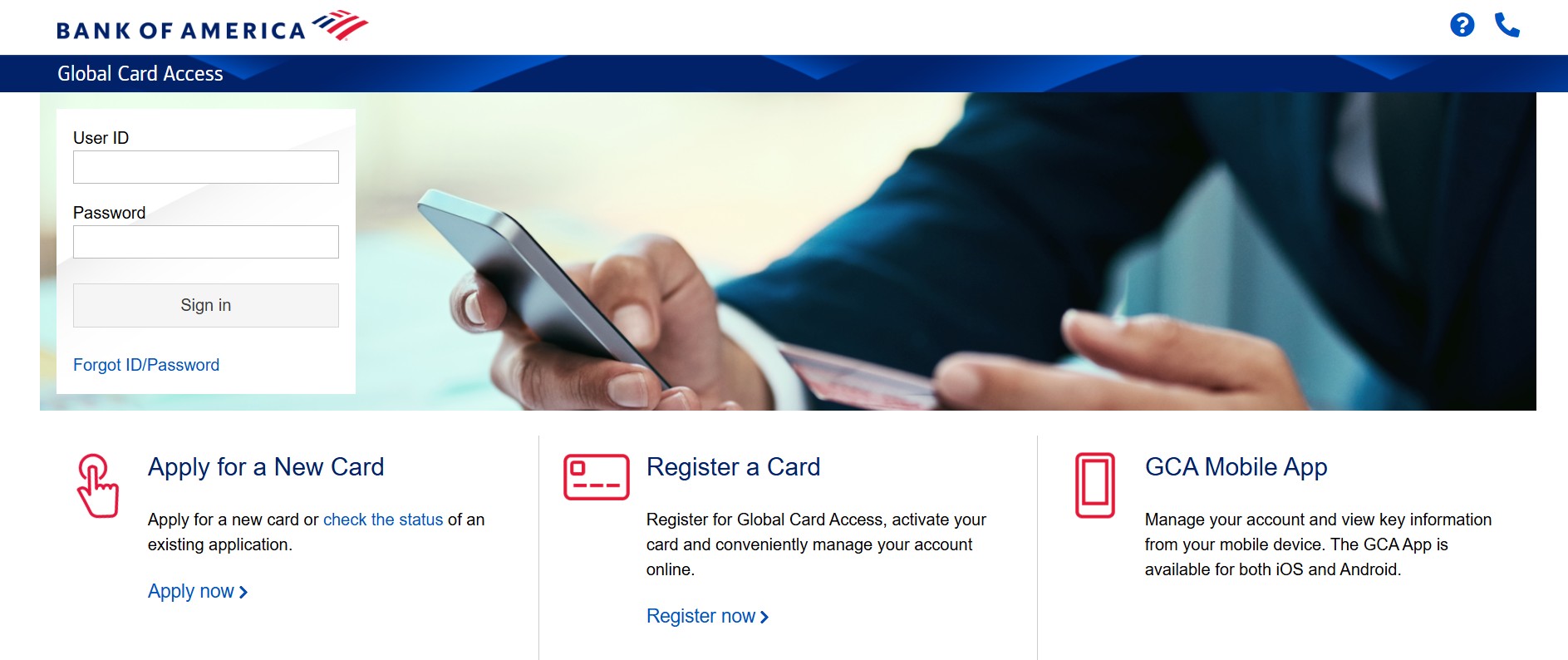
You activate your commercial, corporate, or purchasing card using the Global Card Access portal. This portal is only for business cards, not personal credit cards.
Go to: bofa.com/globalcardaccess
Important:
If you are activating a personal Bank of America credit card, do not use this site. Use the personal banking website or app instead.
Method 1: Activate Online (Global Card Access Website)
This is the most common and easiest method.
-
Go to bofa.com/globalcardaccess.
-
Click “Register a card” on the login screen.
-
Enter your card details:
-
16-digit card number
-
Expiration date
-
Security code (CVV)
-
-
Verify your identity using one of these options:
-
Verification ID from your company’s Program Administrator
-
Employee ID
-
Email verification (one-time passcode if your email is on file)
-
-
Create your User ID and Password for Global Card Access.
-
Follow the final steps to complete activation.
-
Create a PIN, if prompted.
Your card activates once you finish all steps.
Method 2: Activate Using the Mobile App
You can also activate your card using your phone.
-
Download the Global Card Access app from:
-
Apple App Store
-
Google Play Store
-
-
Make sure you install “Global Card Access”, not the personal Bank of America app.
-
Open the app and tap “Register a card.”
-
Enter your card details and verify your identity.
-
Create your login credentials and finish activation.
Method 3: Activate by Phone
If online activation does not work, use the automated phone system.
-
Call the number on the sticker attached to your card
-
Or call 1-888-233-8855 (U.S.)
-
For international numbers, check the back of your card
Keep your Verification ID ready. The system usually asks for it.
Troubleshooting Tips
“Unable to Validate” Error
This happens when your information does not match company records.
What to do:
Contact your company’s Program Administrator to confirm your Verification ID, ZIP code, or employee details.
Global Card Access Link Not Working
Sometimes the short link may not load.
What to do:
Type this address directly into your browser:
https://cardportal.works.com/
Frequently Asked Questions (FAQs)
1. Can you activate a personal Bank of America card here?
No. This portal only works for business and corporate cards issued by Bank of America.
2. What is a Verification ID?
Your company’s Program Administrator provides this ID to confirm your identity during setup.
3. What if you do not have a Verification ID?
Contact your company’s Program Administrator. You cannot activate without proper verification.
4. Can you activate the card outside the U.S.?
Yes. Use the international collect number listed on the back of your card.
5. Do you need to create a PIN?
Yes. You may need a PIN for ATM access or certain transactions.
6. How long does activation take?
Activation usually completes immediately after you finish all steps.