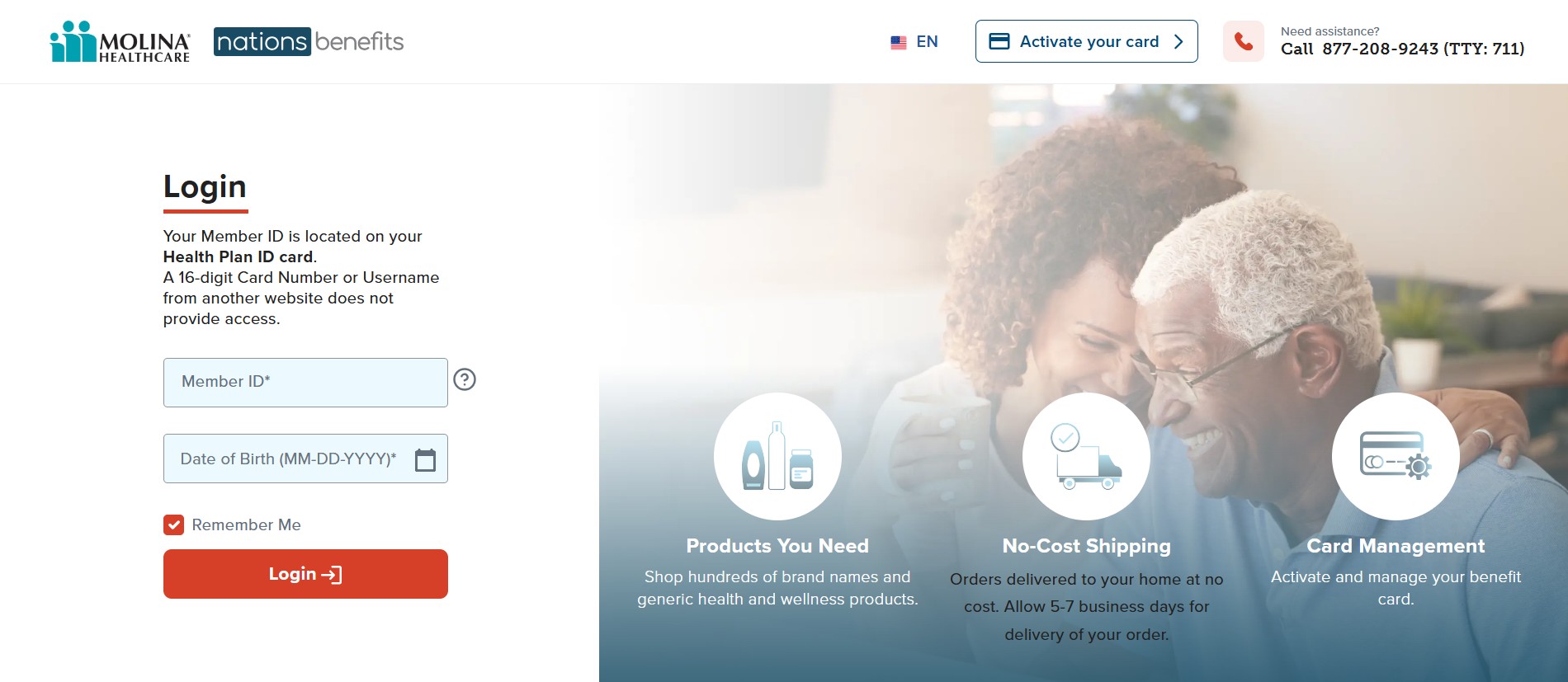
To activate your Molina Healthcare NationsBenefits card, also known as the MyChoice Card or OTC Card, you can use the official NationsBenefits website or activate it by phone. This card helps you pay for eligible health-related items and benefits based on your Molina plan.
You will need your card details and member information to complete the activation.
Option 1: Activate Your Card Online (Recommended)
Use the official Molina NationsBenefits portal:
Molina NationsBenefits Activation Portal
How to Activate
Follow these steps on the website:
-
Click Activate Card or Register
-
Enter your 16-digit card number
-
Enter the expiration date and CVV security code
-
Enter your Molina Member ID
-
Enter your Date of Birth
-
Submit the form to finish activation
Once registered, you can use the same portal to manage your benefits.
What You Can Do After Login
-
Check your available balance
-
View monthly or quarterly allowance reloads
-
Order eligible items online
-
Track orders and delivery status
Option 2: Activate Your Card by Phone
If the website is not working or you prefer phone activation, you can activate your card anytime.
Molina NationsBenefits Activation Line
-
Phone: 1-877-208-9243
-
TTY: 711
-
Availability: 24 hours a day, 7 days a week, all year
The support team can help you activate your card, check your balance, or answer benefit questions.
How to Use Your Molina NationsBenefits Card Correctly
To avoid card declines, follow these important tips.
Always Select Credit at Checkout
-
Swipe the card like a credit card
-
Select Credit when prompted
-
Do not select Debit
-
No PIN is required
This applies at stores like Walmart, CVS, and Walgreens.
What Your Card May Cover
Your benefits depend on your specific Molina plan, but the card commonly covers:
OTC Health Items
-
Vitamins and supplements
-
Pain relievers
-
Cold and allergy medicine
-
First aid supplies
Healthy Food Benefit
-
Groceries and fresh produce
-
Available only if your plan includes food benefits
Utility Bills (Selected Plans Only)
-
Electricity
-
Water
-
Internet
-
Phone services
For utilities:
-
Payments usually must be made through the NationsBenefits website or app
-
You typically cannot swipe the card at the utility office
Important Expiration Rules
Your allowance does not work like a bank account.
You should know:
-
Funds usually reload monthly or quarterly
-
Unused funds may expire
-
This follows a use it or lose it rule
Always check your balance and expiration dates on the portal so you do not lose unused benefits.
Helpful External Resources
-
Molina Healthcare official site:
Molina Healthcare Member Services -
NationsBenefits support and FAQs:
NationsBenefits Member Help
FAQs
1. Can you use your Molina NationsBenefits card before activating it?
No. You must activate the card before making any purchases.
2. Do you need a PIN to use the card?
No. Always choose Credit and do not enter a PIN.
3. Why is your Molina card getting declined?
Common reasons include not activating the card, choosing Debit instead of Credit, or trying to buy non-eligible items.
4. How often does the allowance reload?
Most plans reload monthly or quarterly, depending on your Molina coverage.
5. Can you pay utility bills by swiping the card?
Usually no. Utility payments must be made through the NationsBenefits portal if your plan allows it.
6. What should you do if you never received your card?
Call Molina Member Services or the NationsBenefits activation line to request a replacement.