Your Humana Medicare Advantage plan includes an OTC Spending Account Card. This card gives you money to spend on health and wellness products like pain relievers, vitamins, and first aid supplies.
But here’s the thing: the card won’t work until you activate it. Many people get their card in the mail and don’t know what to do next. This guide shows you exactly how to activate it and start using it today.
What Is the Humana Spending Account Card?
Before we get into activation, let me explain what this card actually is.
Humana gives eligible Medicare Advantage members a prepaid card loaded with money each month or quarter. You can use this money to buy over-the-counter health products at participating stores.
Your card comes in the mail with your plan documents. It has a card number, expiration date, and PIN (similar to a debit card).
The card reloads automatically based on your plan. Some plans reload monthly. Others reload quarterly. You’ll see the information in your plan details.
When Does Your Card Arrive?
Your card usually arrives within 2-3 weeks after your Medicare coverage starts. If your plan started January 1st, look for your card by late January.
If it’s been more than 3 weeks and you haven’t received it, call Humana member services.
How to Activate Your Card: Two Easy Methods
You have two ways to activate your Humana Spending Account Card. Pick whichever is easier for you.
Method 1: Activate Online (Fastest)
This is the quickest way. You can do it right now in about 5 minutes.
Step 1: Go to the Humana member portal the portal for your specific region (California, Colorado, etc. each have their own).
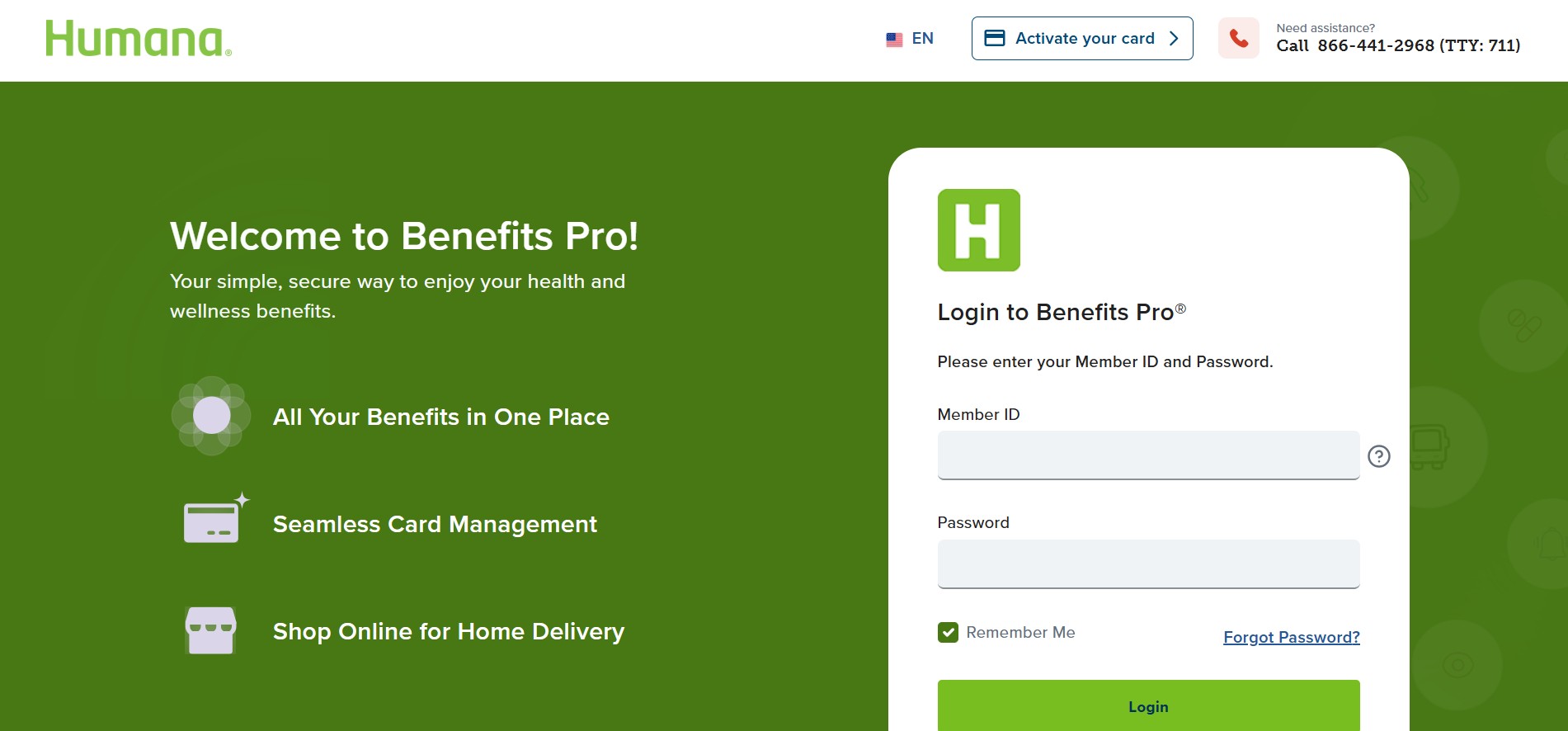
Step 2: Log in with your member ID and password. If you don’t have a login, click “Create Account” and follow the steps.
Step 3: Look for “OTC Card” or “Spending Account” in the menu. It’s usually under Benefits or Account Settings.
Step 4: Find the option that says “Activate Card” and click it.
Step 5: Enter your card number. You’ll find this on the front of the physical card you received in the mail.
Step 6: Enter your date of birth and the expiration date on your card (it’s on the front).
Step 7: Create a PIN if you haven’t already. This is like a debit card PIN. Write it down somewhere safe.
Step 8: Read and accept the terms and conditions.
Step 9: Click “Activate” and you’re done.
The card works immediately after activation. You can use it right away.
Method 2: Activate by Phone (Easiest If You Don’t Like Computers)
If you don’t want to do it online, you can call instead.
Step 1: Find the customer service number. It’s on the back of your card or in the welcome packet Humana sent you.
Step 2: Call the number and wait for a representative to answer.
Step 3: Tell them you want to activate your OTC Spending Account Card.
Step 4: Have your card ready. They’ll ask for your card number.
Step 5: They’ll ask for your date of birth and the expiration date on your card.
Step 6: They’ll guide you through creating a PIN or ask if you already have one set up.
Step 7: Confirm your activation and you’re all set.
The whole call takes about 10 minutes.
Using Your Card at the Store
Once your card is activated, using it is simple. It works like a debit card.
When you shop:
- Pick out your eligible products (vitamins, pain relievers, bandages, etc.)
- Go to checkout
- Tell the cashier you’re paying with your Humana OTC card
- Hand them your card
- The card will be swiped or inserted (depending on the store’s equipment)
- You might need to enter your PIN. If you do, enter the PIN you created during activation.
- The cost of your items comes out of your card’s balance
If your purchase total is more than your card balance, you can pay the extra amount with cash, debit, or credit.
Where Can You Use Your Card?
Your Humana Spending Account Card works at most major stores. Here are the places where it’s accepted:
- CVS Pharmacy
- Walgreens
- Rite Aid
- Walmart
- Target
- Costco
- Dollar General
- Family Dollar
- Kroger and Kroger-owned stores
- Safeway
- Publix (Southeast locations)
- Albertsons
You can also order online through some of these retailers and use your card there.
To find specific locations near you, log into your Humana portal and search by zip code.
What Can You Buy?
Your card covers most health and wellness items. Here’s what’s included:
Allowed products:
- Pain relievers (Tylenol, Advil, aspirin)
- Cold and allergy medicine
- Antacids and digestive aids
- Vitamins and supplements
- First aid supplies (bandages, gauze, tape)
- Thermometers and blood pressure monitors
- Incontinence products
- Cough drops and sore throat lozenges
- Antifungal creams and ointments
- Diabetic supplies (test strips, lancets)
- Reading glasses
What you cannot buy:
- Prescription medications
- Baby formula and diapers
- Cosmetics and makeup
- Shampoo and body soap
- Household cleaning supplies
- Food and snacks
- Alcohol and tobacco
Always check the package before you buy. If you’re unsure whether something is covered, ask the cashier or check your Humana app.
What If Your Card Doesn’t Work?
Sometimes you might swipe your card and it gets declined. Don’t worry. Here are the most common reasons and how to fix them.
Card Not Activated Yet
This is the most common reason. If you haven’t activated your card yet, it won’t work at the store.
Fix: Activate it right now using one of the methods above.
Card Expired
Your card expires on the date printed on the front. If you’ve had the card for over a year, it might be expired.
Fix: Humana automatically sends you a new card before the old one expires. If you don’t receive a new one, call Humana to request one.
No Balance Left
If you’ve used all your money for the month, the card will be declined.
Fix: Wait until your balance reloads. Check your plan documents to see if you reload monthly or quarterly. Once you reload, the card works again.
Store Doesn’t Accept Humana Cards
Not every store accepts all OTC cards. Some smaller stores or pharmacies don’t participate.
Fix: Try a different store from the list above.
PIN Entered Wrong
You might have entered your PIN incorrectly.
Fix: Ask the cashier if you can try again. If you forgot your PIN, call Humana to reset it.
Check Your Balance Before Shopping
Before you go to the store, check how much money you have left on your card.
You can check your balance three ways:
Way 1: Online Log into your Humana portal and look at your account. It shows your current balance and how much you’ve spent.
Way 2: Mobile App Download the Humana mobile app, log in, and check your balance in the app.
Way 3: Phone Call Humana member services. Give them your member ID and they’ll tell you your balance.
What Happens If You Don’t Use Your Money?
Here’s something important: most Humana plans have a “use it or lose it” policy.
This means if you don’t spend your OTC allowance before the month or quarter ends, you lose it. The money doesn’t roll over to the next period.
So if your plan reloads quarterly and you have $50 left on March 31st, that $50 disappears on April 1st when you reload.
My suggestion: Set a phone reminder a few days before your reload date. Go to the store and stock up on items you know you’ll use like vitamins or cold medicine.
Frequently Asked Questions
How do I know what my monthly allowance is?
Check your plan documents or log into your Humana portal. It shows your quarterly or monthly amount. It’s usually between $25 and $150 depending on your plan.
Can I use my card online?
Yes, some retailers allow online purchases with your OTC card. You enter the card number just like a regular debit card. Not all stores accept it online, so check first.
What if my card gets lost or stolen?
Call Humana immediately. Tell them your card is missing. They’ll deactivate that card and send you a replacement within 1-2 weeks.
Can someone else use my card?
Your card is only for you. Only you should use it. If family members need their own cards, they need to have their own Humana plans.
How often can I use my card?
As often as you want. You can go to the store multiple times per month. Just keep track of your balance so you don’t run out before your reload.
Do I have to go to a pharmacy to use my card?
No. You can use your card anywhere it’s accepted. That includes Walmart, Target, and other general retailers, not just pharmacies.
What if I have the wrong PIN?
Call Humana. They can reset your PIN. You’ll get a new one and can start using it immediately.
Can I transfer my card balance to someone else?
No. The balance is tied to your card and your membership. You can’t transfer it.
Do I pay taxes on my OTC benefits?
No. The OTC allowance is tax-free. You don’t owe anything.
When does my balance reset?
It depends on your plan. Some plans reload on the 1st of each month. Others reload every 3 months (quarterly). Check your plan documents to find your reload schedule.
Important Reminders
Before you activate and use your card, remember these key points:
Only eligible items are covered. Just because something is sold in the health section doesn’t mean it’s covered. Always check before you buy.
Your balance expires. Use your money before your reload date or you lose it.
The card only works for you. Don’t let family members borrow it. If they need OTC benefits, they need their own plan and card.
Activation is free. Humana doesn’t charge to activate your card. If anyone asks you to pay, it’s a scam.
How to Get Help
If you have problems activating your card or using it at the store, here are your options:
Call Humana Member Services: The number is on the back of your card or in your welcome packet. They’re available 24/7.
Send a message through your Humana account: Most portals let you send secure messages to customer service.
Visit your local pharmacy: Staff at CVS, Walgreens, or Rite Aid can sometimes help troubleshoot if your card isn’t working.
Conclusion
Activating your Humana Spending Account Card takes less than 5 minutes. Once it’s activated, you can start using it immediately at your favorite stores.
The card works like a regular debit card. Just swipe it, enter your PIN, and you’re done.
Remember to use your balance before it expires each month or quarter. And make sure you only buy eligible items.
If you have any problems, Humana customer service is available 24/7. Don’t hesitate to call them.
Good luck, and enjoy your OTC benefits!